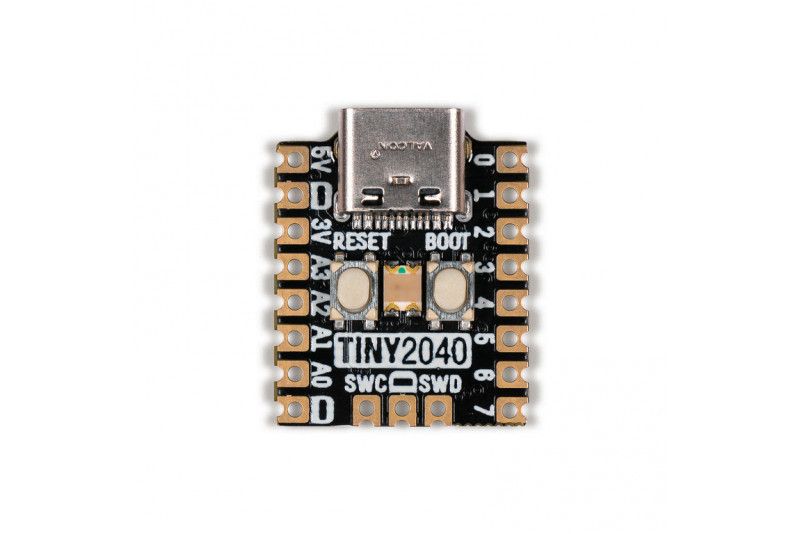
Pimoroni PIM592 - Tiny 2040, 8MB version with pre-soldered pin headers. Postage-stamp-sized RP2040 development board with USB-C connector. Perfect for portable projects, wearable products and embedding into items.
A postage-stamp sized RP2040 development board with a USB-C connector, ideal for portable projects, wearables and embedding into things.
While Pimoroni love the Raspberry Pi Pico, they also wanted something smaller with more flash. Introducing the Tiny 2040 — a tiny powerhouse capable of doing some truly ambitious projects.
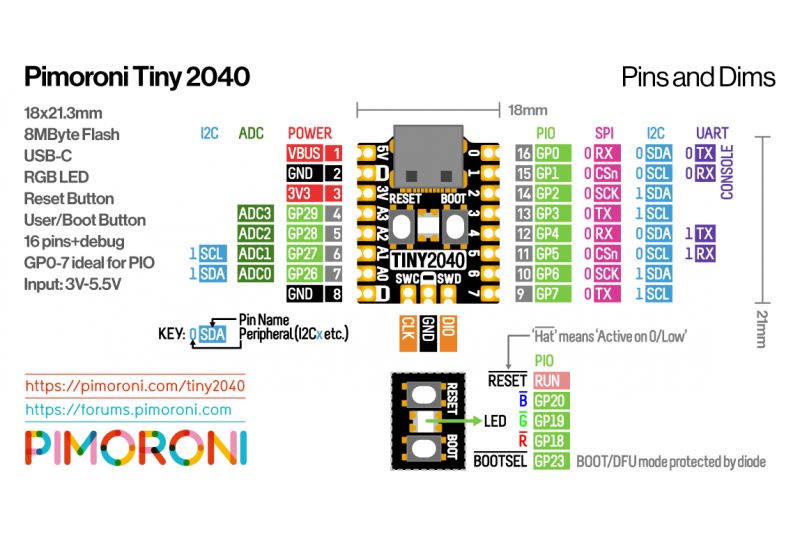
The Tiny 2040 is powered and programmable over USB-C, and has an 8MB QSPI (XiP) flash stick (a budget-friendly 2MB version is also available). The board is designed with castellated pads so it can be soldered directly onto a PCB (or you can fit header pins to plug it into a breadboard or wire things directly). Pimoroni have also managed to fit a programmable RGB LED, a reset button and some clever circuitry to let you use the boot button as a user-controlled switch.
It is compatible with firmware built for the Raspberry Pi Pico, although it provides fewer pins due to its size. You can even run MicroPython on it!
Due to popular demand we now also stock Tiny 2040s with downward-facing header pins, which the pirates have lovingly pre-soldered for you.
Features
Powered by RP2040
ARM Cortex M0+ running at up to 133 MHz.
264kB SRAM
USB-C connector for power, programming and data transfer
2MB or 8MB QSPI flash supporting XiP.
User-controllable RGB LED
Twelve IO pins (including four 12-bit ADC channels)
Switch for input (also works as DFU selection at boot).
Built-in 3V3 regulator (maximum regulator output current 300mA).
Input voltage range 3V - 5.5V
Dimensions: approx 22.9 x 18.2 x 6 mm (L x W x H, including USB-C port).
The Tiny 2040 is firmware agnostic! You can program it in C/C++ or MicroPython the same way as the Raspberry Pi Pico, although you need to bear in mind it has fewer pins. The RP2040 getting started page has (lots of) information on how to do this (and links to firmware/SDK downloads).
You can also use CircuitPython on your Tiny 2040! CircuitPython is an easy-to-use, established ecosystem with lots of example code and drivers for working with different hardware.
The RGB LED is connected to GP18-GP20 and is active low (so the on/off logic is the opposite of the Raspberry Pi Pico LED). You can PWM the pins to dim the LED — see Tonygo2's MicroPython example.
About the RP2040
The Raspberry Pi RP2040 microcontroller is a dual-core ARM Cortex M0+ running at 133 MHz. It includes 264kB of SRAM, 30 multifunction GPIO pins (including a four-channel 12-bit ADC), a bunch of standard peripherals (I2C, SPI, UART, PWM, clocks etc.) and USB support.
One very exciting feature of the RP2040 is the programmable IOs, which let you run custom programs that can handle GPIO pins and move data between peripherals — they can offload tasks that require high data throughput or tight timing that would traditionally require the CPU to do a lot of heavy lifting.