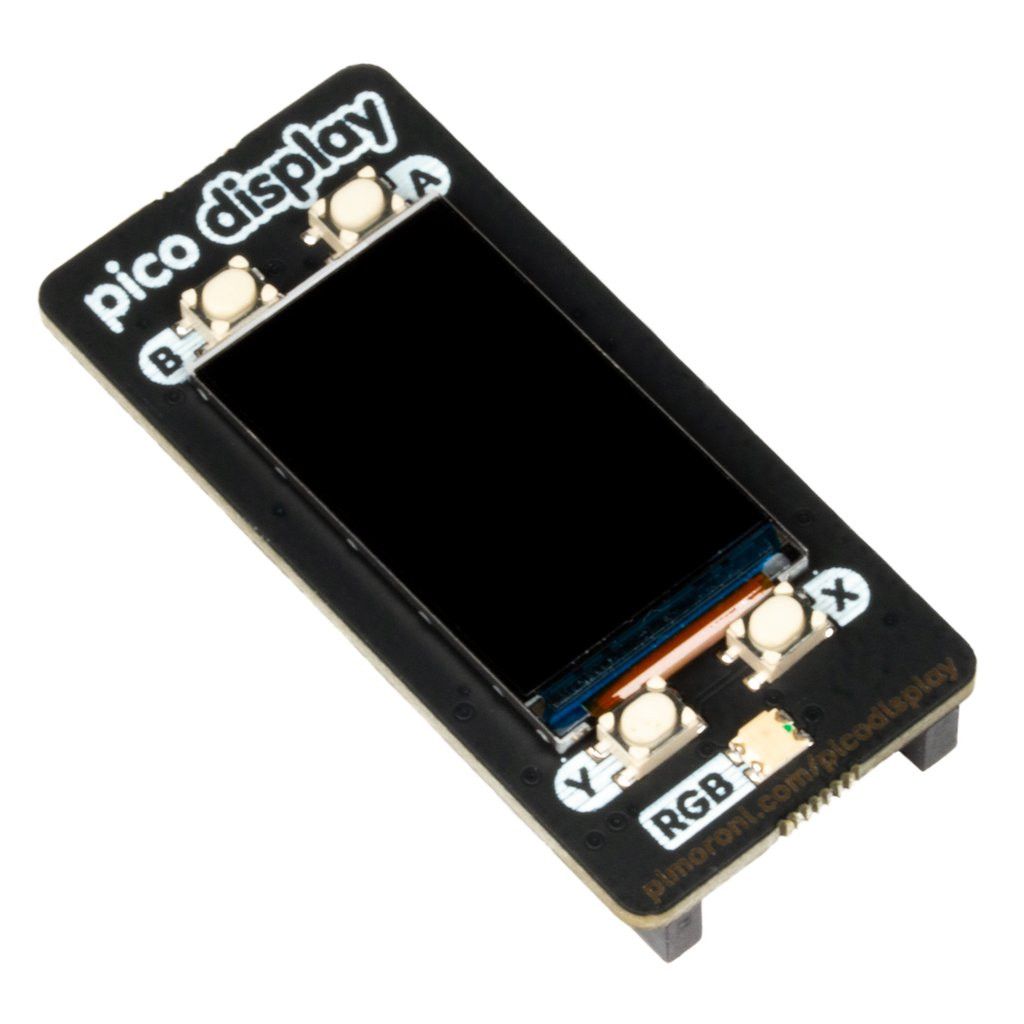
A lively 1.14" IPS LCD display for the Raspberry Pi Pico, with four useful buttons and an RGB LED!
Pimoroni has sourced a new LCD specifically for our Pico Display Pack — it’s a lovely, bright, 18-bit, 240x135 pixel IPS display that fits the Pico perfectly. We’ve surrounded it with four tactile buttons so you can easily operate your Pico with your fingers, and an RGB LED that you can use as an indicator, for notifications, or just to add some extra rainbows.
The Pico Display lets you make your Pico into a small user interface for a larger project that can give instructions, display readings and even include complex nested menus. If you’d rather use your Pico as a standalone device, you could make a small slideshow of images, display pretty graphs of sensor data, or build your own Tamagotchi- or matchbox-sized text adventure.
Raspberry Pi Pico is not included.
Your Pico must be soldered with male headers (pins facing down) so it can be attached to our add-on boards.
Features
- 1.14 inch 240x135 pixel IPS LCD display.
- 4 x tactile buttons
- RGB LED
- Pre-soldered female headers for attaching a Pico.
- Compatible with the Raspberry Pi Pico.
- Fully assembled
- No soldering required (as long as your Pico has header pins fitted).
- Dimensions: approximately 53mm x 25mm x 9mm (L x W x H).
- Usable display area: approximately 25mm x 15mm (L x W).
- C/C++ and MicroPython libraries
Getting started
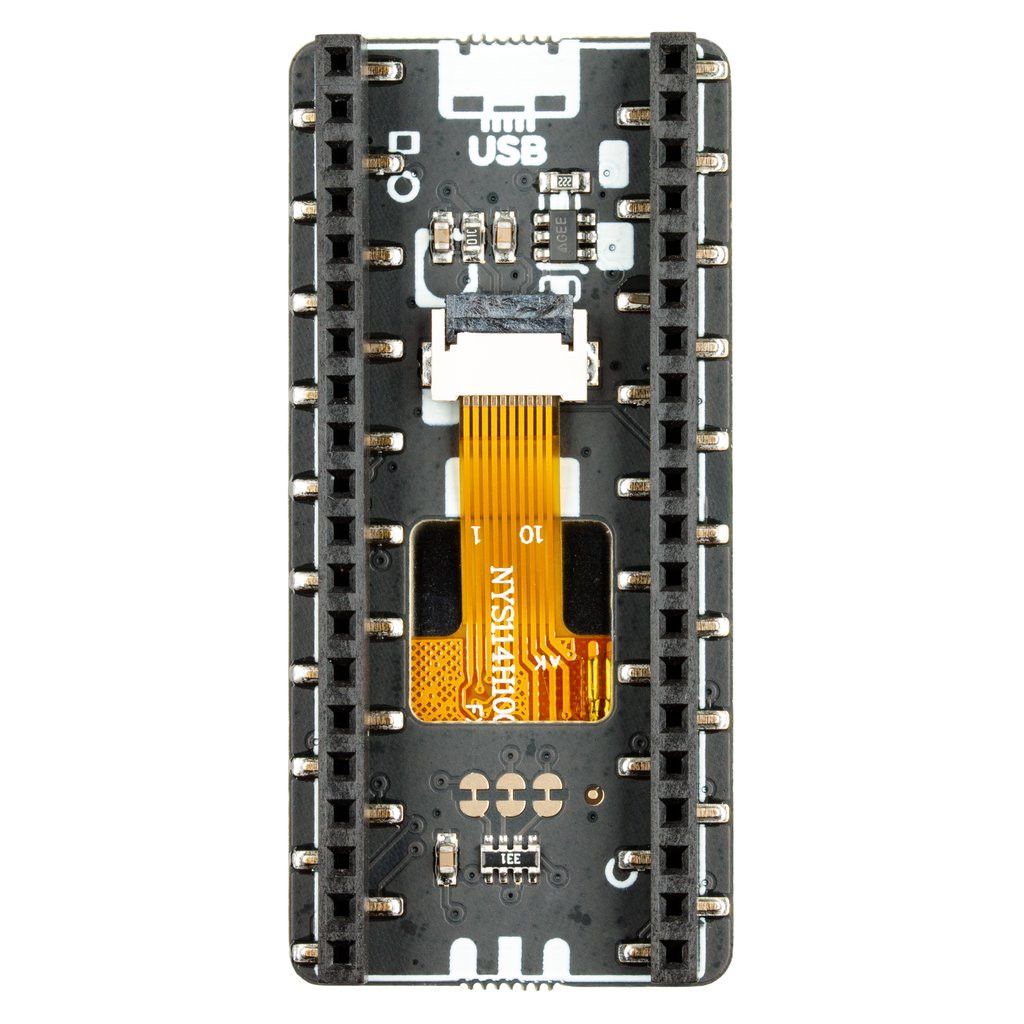
The markings on the underside of the Pico Display show how it should be connected to your Pico board — just align the USB port and the PCB markings.
The easiest way to get going is to download and copy our MicroPython uf2 onto your Pico, as it contains all the libraries you need to use our add-ons. Click here for our beginner tutorial!
C examples can be found here and MicroPython examples here.
Pinout
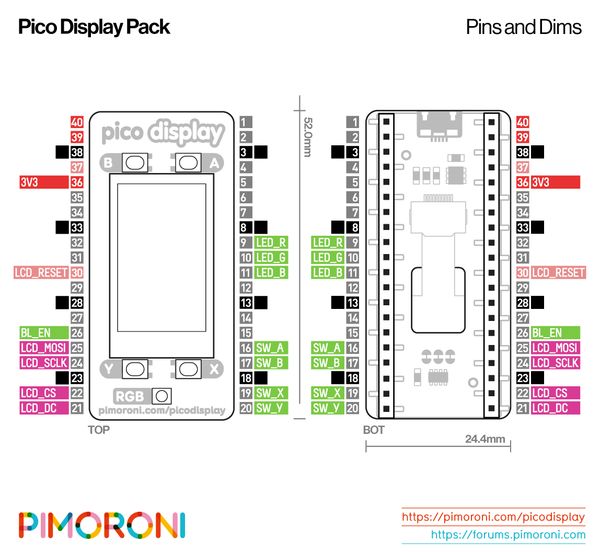
The Pico Display Pack talks to the LCD via SPI on the pins LCD_CS, LCD_DC, LCD_SCLK and LCD_MOSI. PWM is also available on the BL_EN pin (with gamma correction) for fine, linear backlight control. LCD_RESET is tied to the Pico’s RUN pin, so the LCD is fully reset whenever the Pico is.
The four switches are wired as follows: SW_A, SW_B, SW_X and SW_Y.
There’s also an RGB LED (ideal for an activity indicator!), which is PWMed (with gamma correction) on the LED_R, LED_G and LED_B pins. If you want to use the LED pins for something else, there are three cuttable pads on the underside of the PCB.
Power is supplied via 3V3, which means you can use the Pico Scroll Pack from both USB power and external sources (1.8V to 5.5V), making it ideal for battery-powered projects.